
You type, the whole room follows line by line. Everyone has their own editor at the same time, runs their program in their browser, and you collect everybody's work at the end. Nothing to install, on your side or theirs.
Get started for free →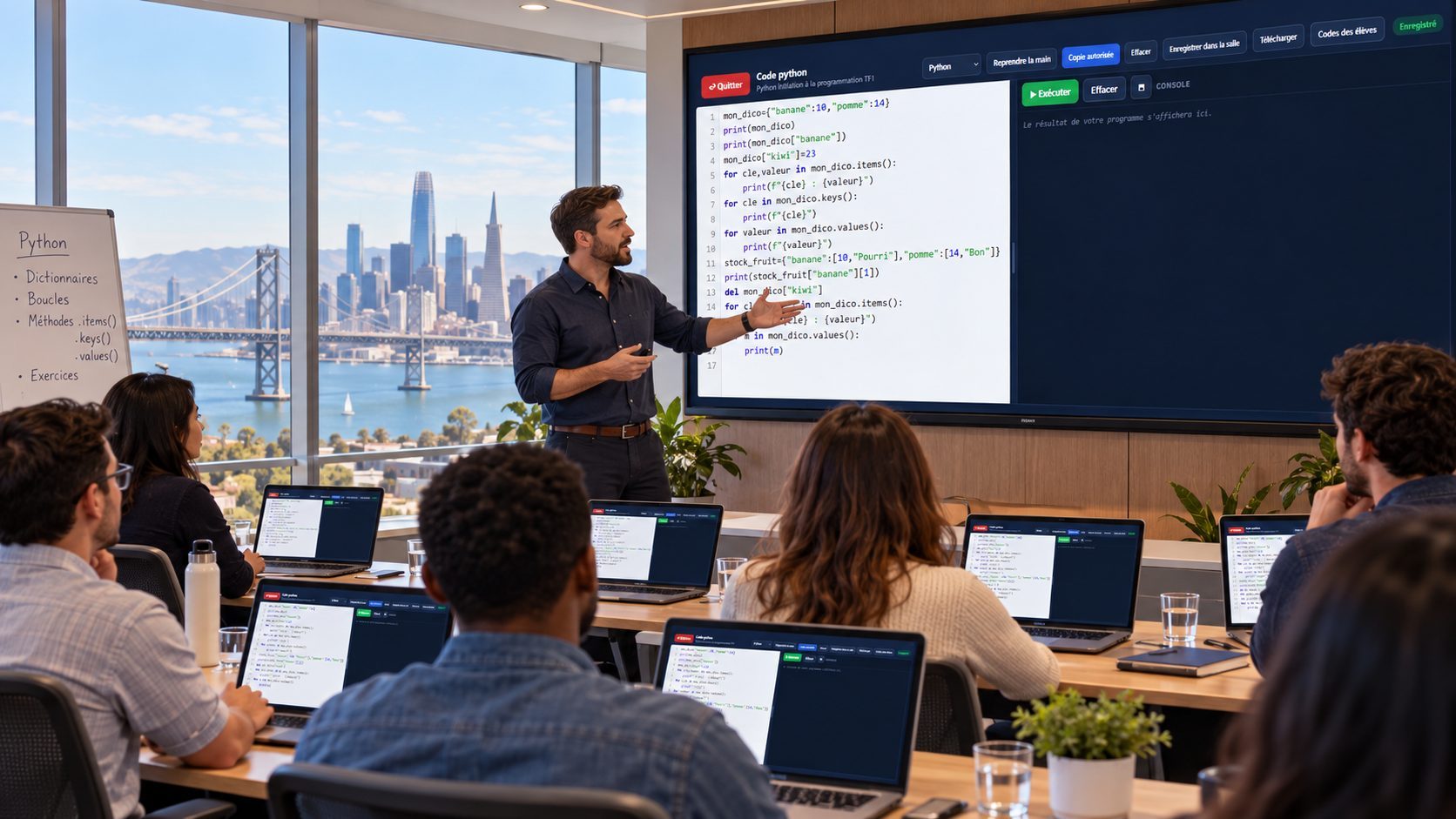
Getting a group to write code always starts with the same lost half hour: installing Python, sorting out a version, unblocking an antivirus, rescuing the one person whose editor will not start. The EduTools code editor removes that step — it lives in the browser, and your learners join with a room code or a QR code.
You open a session and type your example: it appears on everyone's screen as you go. Each participant also has their own editor and works in it when you say so — without losing sight of yours.
An editor that runs nothing is only good for copying. Here the Run button actually executes the program: print, input, if, for, while, functions, lists and dictionaries. The console shows the output and asks the program's questions, like a real terminal.
Everything happens in the browser of whoever wrote the code. Nothing runs on our servers, and a learner's program reaches nothing beyond their own page. An endless loop — the beginner's mistake — is stopped on its own instead of freezing the machine.
Four languages genuinely run. Python and JavaScript print their output in the console. SQL queries a real SQLite database, loaded in advance with customers, products and orders: your learners write SELECTs, joins and groupings, and read the result in columns. HTML and CSS are displayed instead: the page appears below the code.
For an HTML demonstration, your learners watch your page change while you edit the style — which beats any explanation.
PHP, Java, C, C++ and C# are offered too, with their syntax highlighting: they do not run in a browser, but your learners write them and you collect their files.
What you type reaches every participant at each pause, with nothing to reload on their side.
Everyone works in their own copy, which starts from your example, and keeps yours displayed alongside — or hides it for more room.
print, input, conditions, loops and functions genuinely run — and SQL queries against a real database. Nothing to install.
The page is drawn below the code: ideal for showing what a CSS property does, live.
Every participant's work is available from your back office, downloadable one by one or as a single archive.
One click puts everyone back in read-only and on your screen. Their copies are not lost: they return when you hand them back.
A session from the trainer's side, the same from a learner's side, and an HTML page preview.
The program runs in the console: the questions asked by input(), the answers typed in, then the result. The code reaches the room at every pause.
Their copy on the left, where they write freely; yours on the right, live and read-only, hidden in one click when they want to focus.
The page appears below the code, with its colours, spacing and shadows. Change a property, preview again, see the difference.
SQLite runs in the browser, on a sample database loaded in advance. Results appear in columns, just like in a SQL client.
A code session takes two minutes to prepare and runs with nothing installed, on your side or your learners'.
From “+ Create”, pick the code editor. Give it a title, a language — Python, JavaScript or HTML/CSS — and the room where your learners will join you.
Write your example. It reaches the room at every pause: nobody needs to reload. Your learners see it in a panel next to their own editor.
Click “Run” to execute the program in front of the group. The console shows the output, and the questions asked by input() wait for your answer, just like a terminal.
Let them work: everyone writes in their own copy, runs it, and hides your editor if they want more room. When you need their attention, “Take back the room” puts everyone in read-only.
At the end, “Learners' code” gathers everybody's work. Read it, download it one by one, or take the whole group as a single archive.
One platform instead of your slide deck, your quiz tool, your forms, your file storage and your attendance sheet.
No more scattered tools!
Create your free account in minutes. No credit card, no install required for your participants.
Get started for free →